View Assigned Accounts
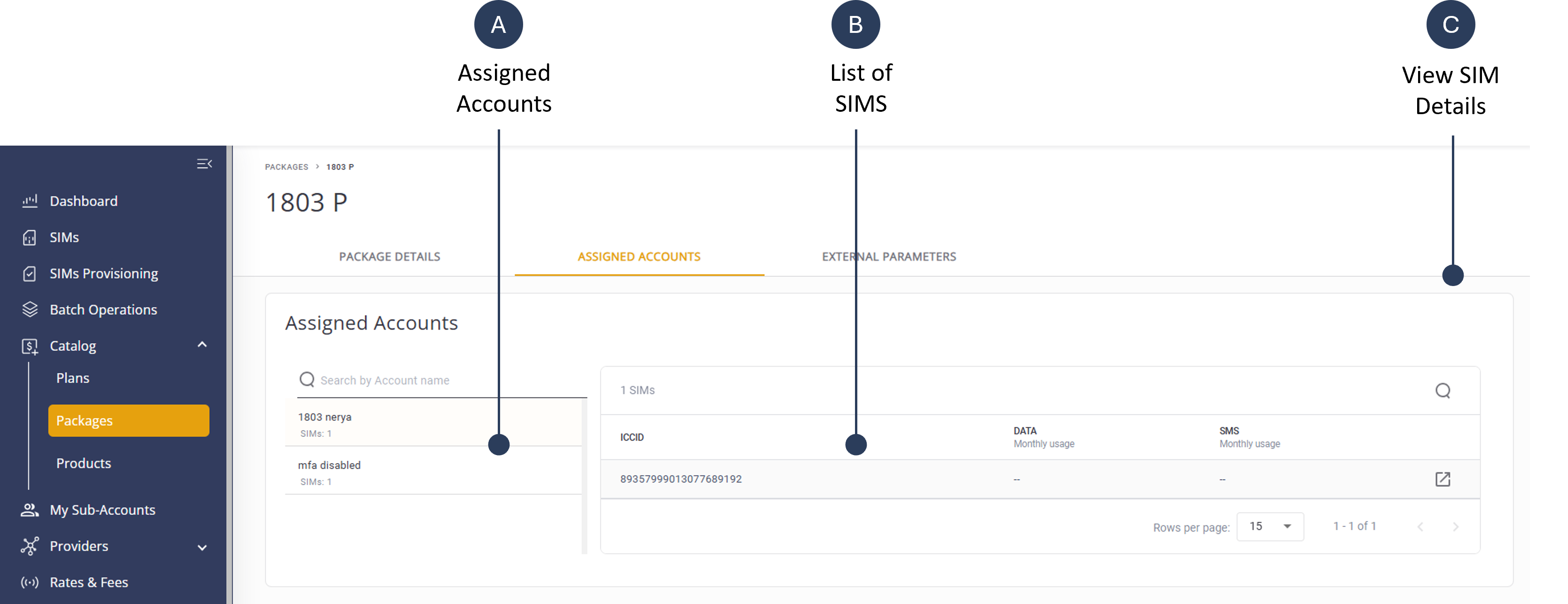
The Assigned Accounts tab displays a list of sub-accounts that use (assigned?) to the selected package. The package name is displayed at the top of the page. For each sub-account, a list of SIMs that are assigned to the associated package.
To view a list of assigned accounts, do these steps:
- Select Catalog | Packages from the sidebar menu.
- Click a Package from the list to display the Package Details page.
- Select the Assigned Accounts tab to display the accounts assigned to the selected package.
A screen capture of the Assigned Accounts tab is shown here.